- Client: A manufacturer of fall-protection and safety railing systems
- Platform: NetSuite ERP, SCM Mobile (Manufacturing Mobile), SuiteScript
- Focus area: Shop-floor operations, work order processing, bin management
- Solution: A set of customizations that adapt the SCM Mobile app to how the shop floor actually runs, instead of forcing the shop floor to work like the app.
The assumption
SCM Mobile ships with a fixed set of shop-floor processes, and NetSuite doesn't let you modify them. Most teams stop there. They live with the gaps, or they buy a third-party shop floor product. But the app supports custom processes, pages, and script-backed actions. Its screens, buttons, and logic can be extended well beyond what the documentation suggests. Over a series of projects, we used that to rebuild our client's shop-floor experience piece by piece.
What we built
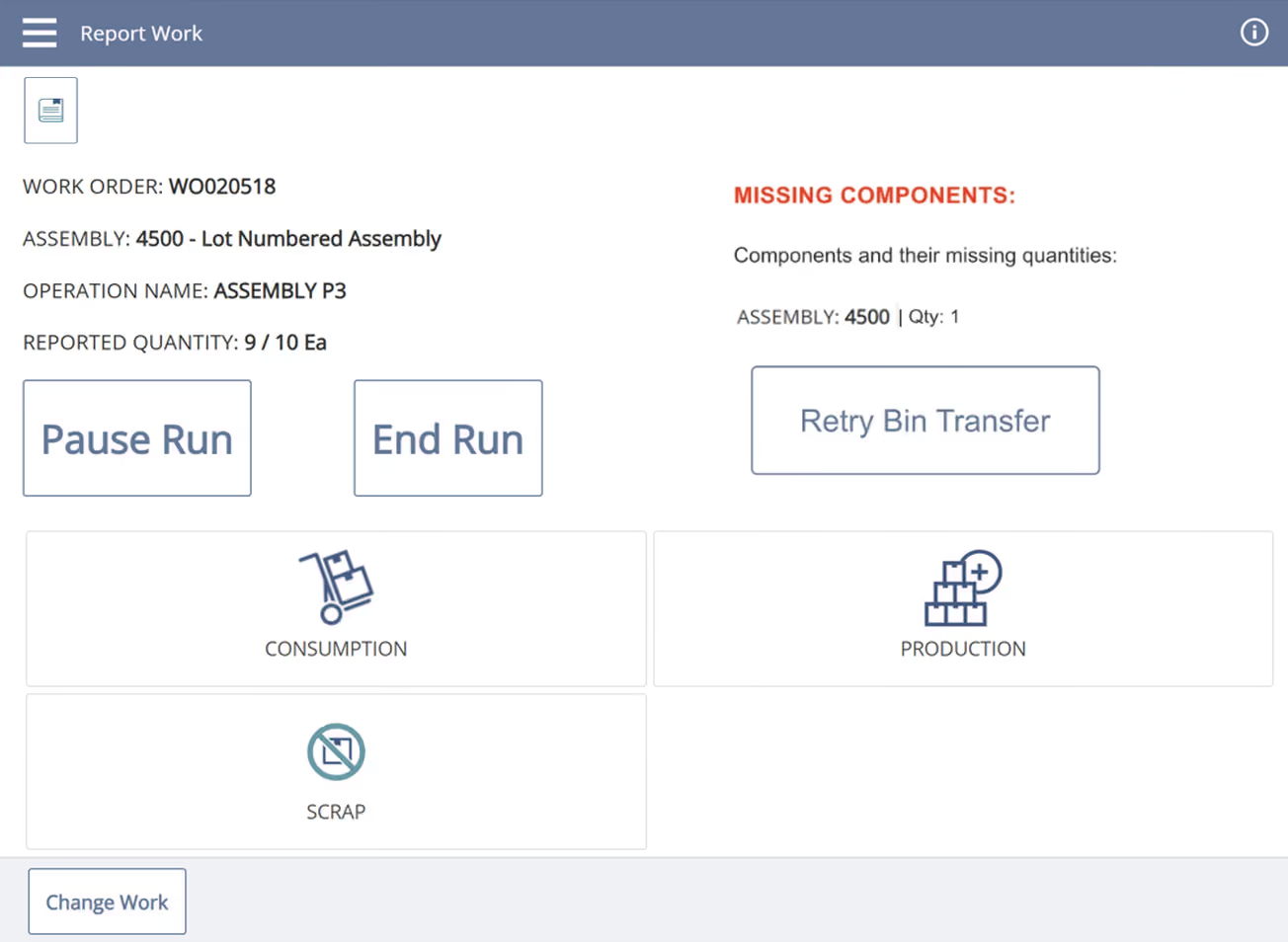
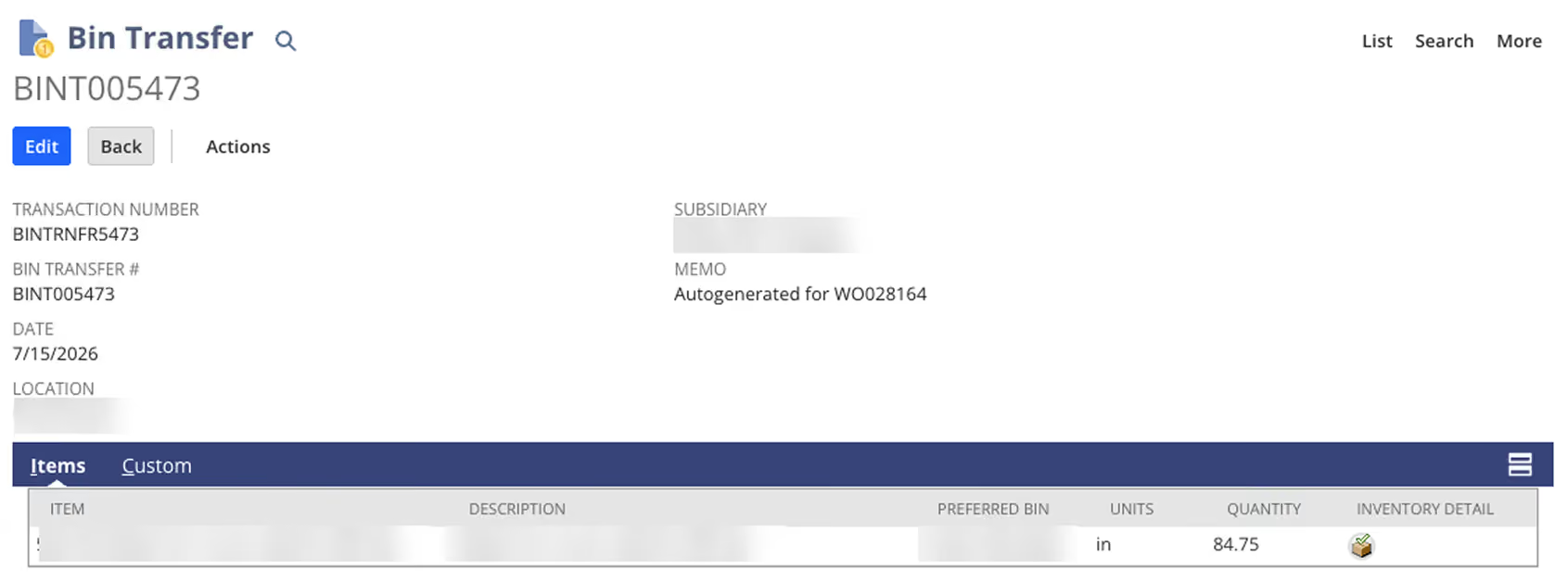
Automatic component staging. Components must be in a staging bin before a work order can be built. Natively, the app assumes that’s already happened; if it hasn’t, the operation won’t start correctly, and someone has to fix it in NetSuite, outside the app. Now, when an operator taps "Start Run," a script builds the bin transfer on the spot: preferred bin first, then the item's other bins, then any bin at the location holding quantity. The transfer is stamped on the work order with an autogenerated memo, and the operator lands on the Report Work screen as if nothing happened.
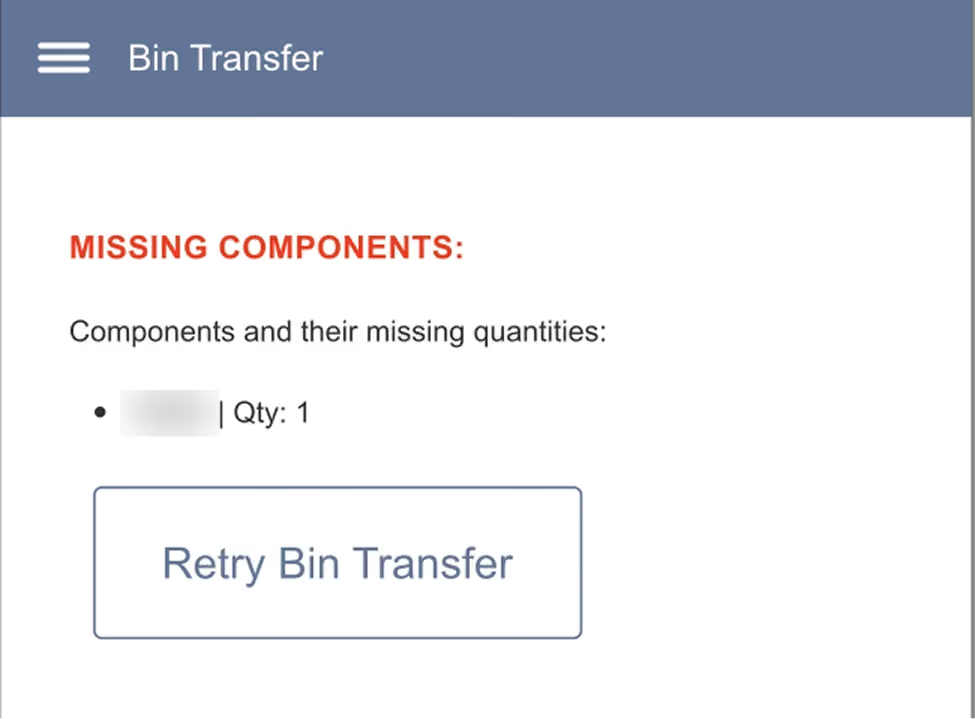
Shortages handled in the app. If quantities can't be fully sourced, no partial transfer goes through. The operator sees which components are short and gets a "Retry Bin Transfer" button for once the material arrives. Configuration gaps produce plain-language messages instead of script errors.
A separate flow for non-backflush work orders. Galvanized components aren't backflushed, so staging them at "Start Run" would be wrong. For those work orders, the same bin transfer logic fires when the operator clicks "Consumption" instead, with identical error handling. The app distinguishes the two cases on its own.
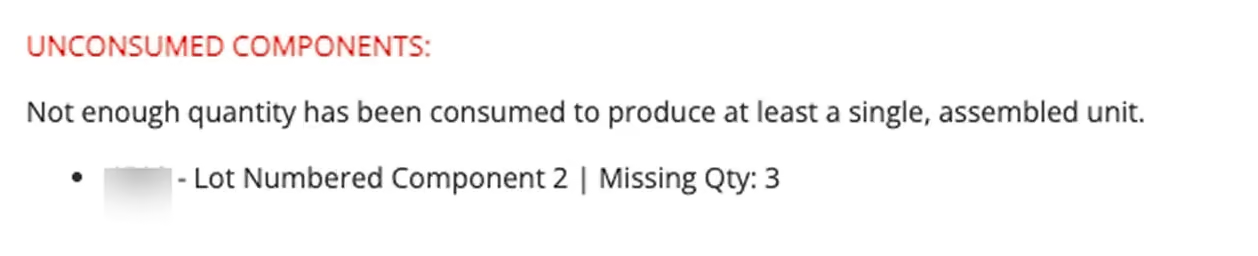
Consumption enforced before production. Natively, an operator could report production without having consumed the required components. We gated the Production step: it now validates the consumption minimum first, and also checks that every component on the routing is assigned to an operation, so nothing slips through on a mis-built routing.
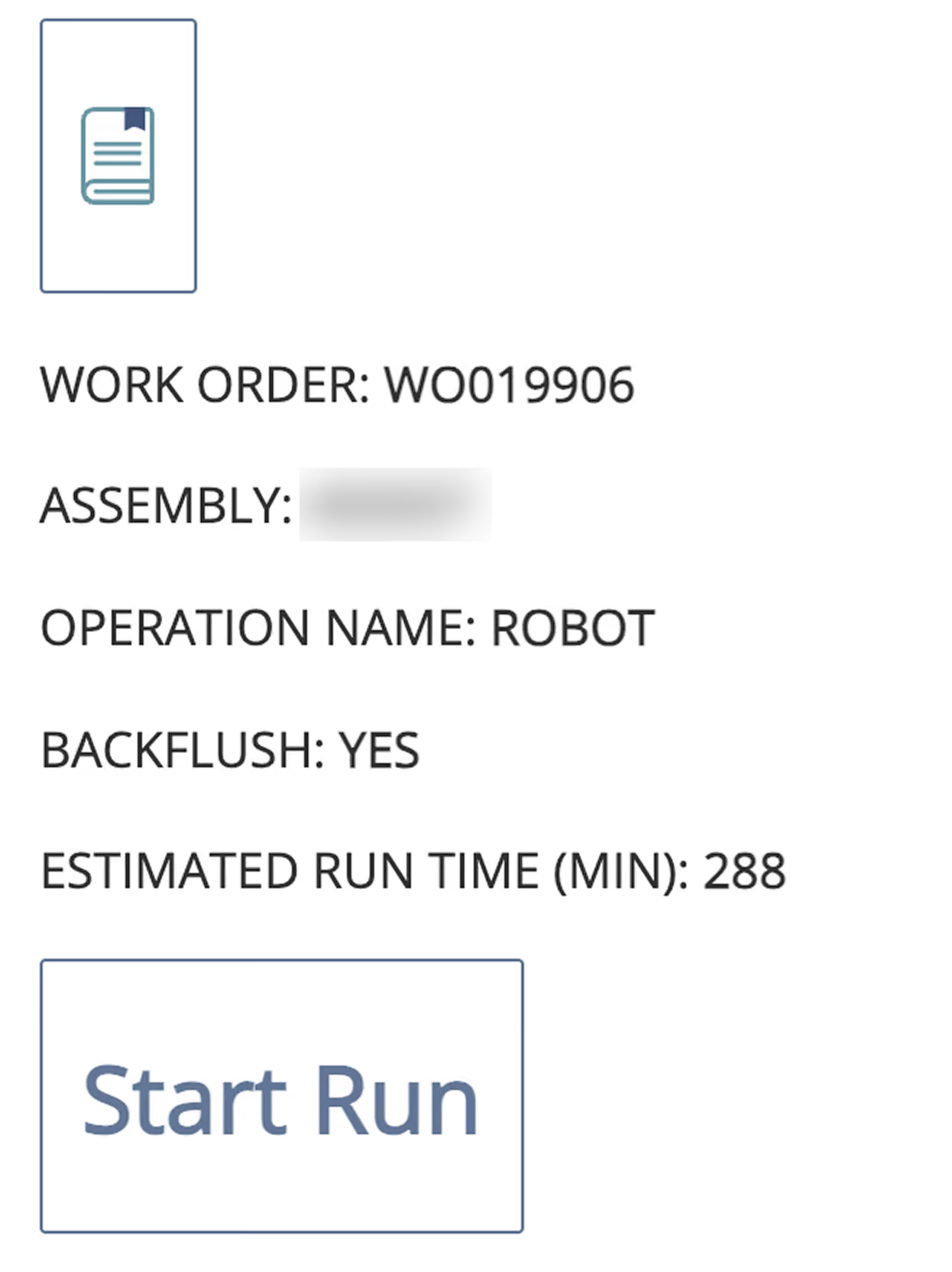
Time estimates where operators need them. Setup and run time live on the manufacturing routing in the ERP, where operators never look. We surfaced both in the app: estimated setup time on the operation task screen, and estimated run time (run rate times input quantity) calculated when the operator clicks "Run."
Results
The shop floor now runs through one app. Staging, consumption, and production happen in the right order because the app enforces the sequence, and transfers post as material moves, tied to the work order that consumed it. Operators see what a task should take before they start it. Nobody leaves the floor to fix a stalled operation in the ERP.
If SCM Mobile almost fits your operation, the gap is probably closable. The app is far more moldable than it looks.