Don’t let one integration throttle your NetSuite capacity

May 1, 2026

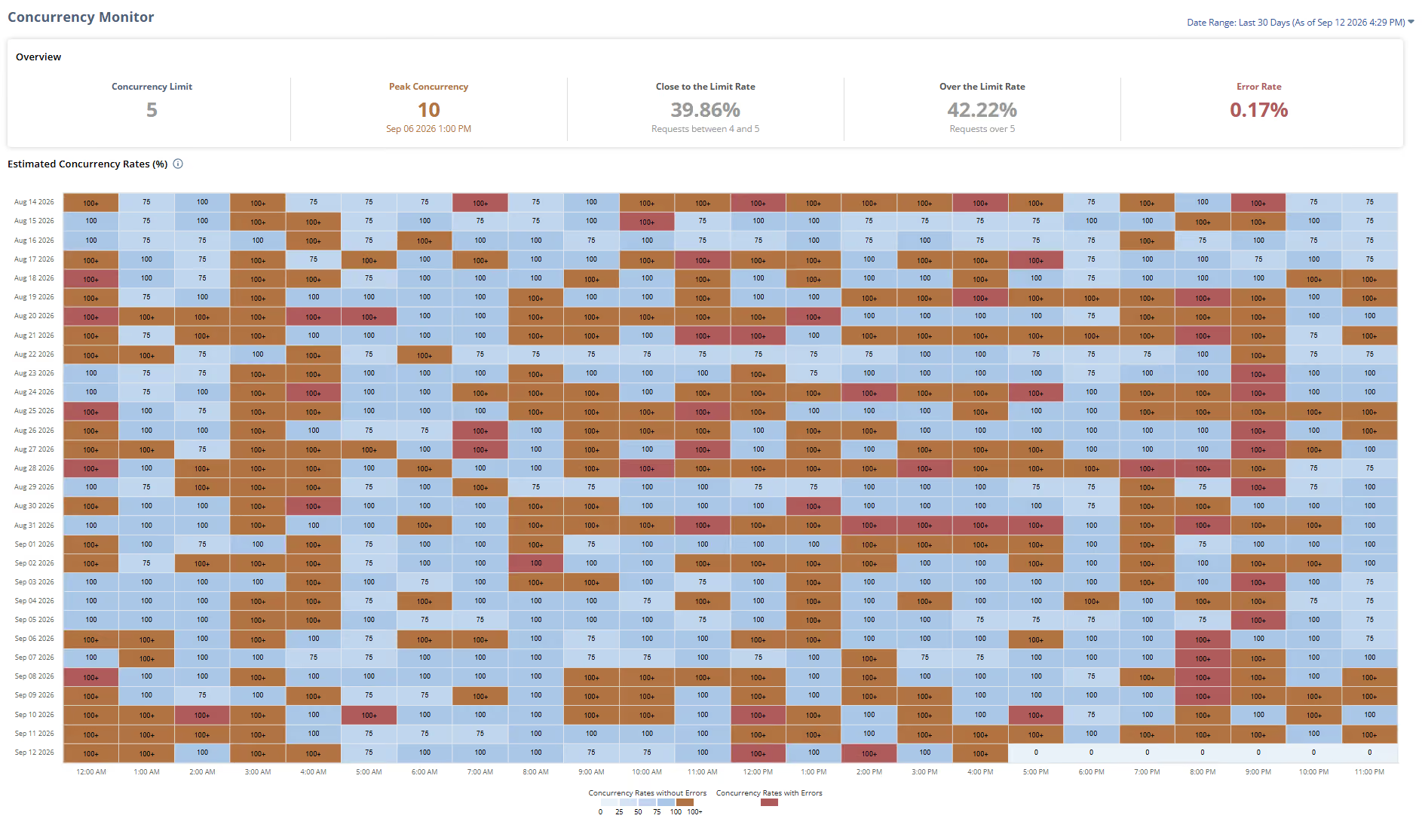
Why a "working" integration can quietly slow everything around it.
When a system gets slow, the cause is rarely where people expect. There's usually no error and nothing obviously broken, just a sense that things take longer than they used to. Everyone has a guess, whether it's more users, more data, or some customization from years ago, and most of those guesses turn out to be wrong.
We ran into a good example recently with a manufacturing client. They told us their NetSuite had become noticeably slow and couldn't pin down why. The usual explanations didn't hold up, so rather than keep guessing, we looked at the account's actual API traffic to see what was really going on.
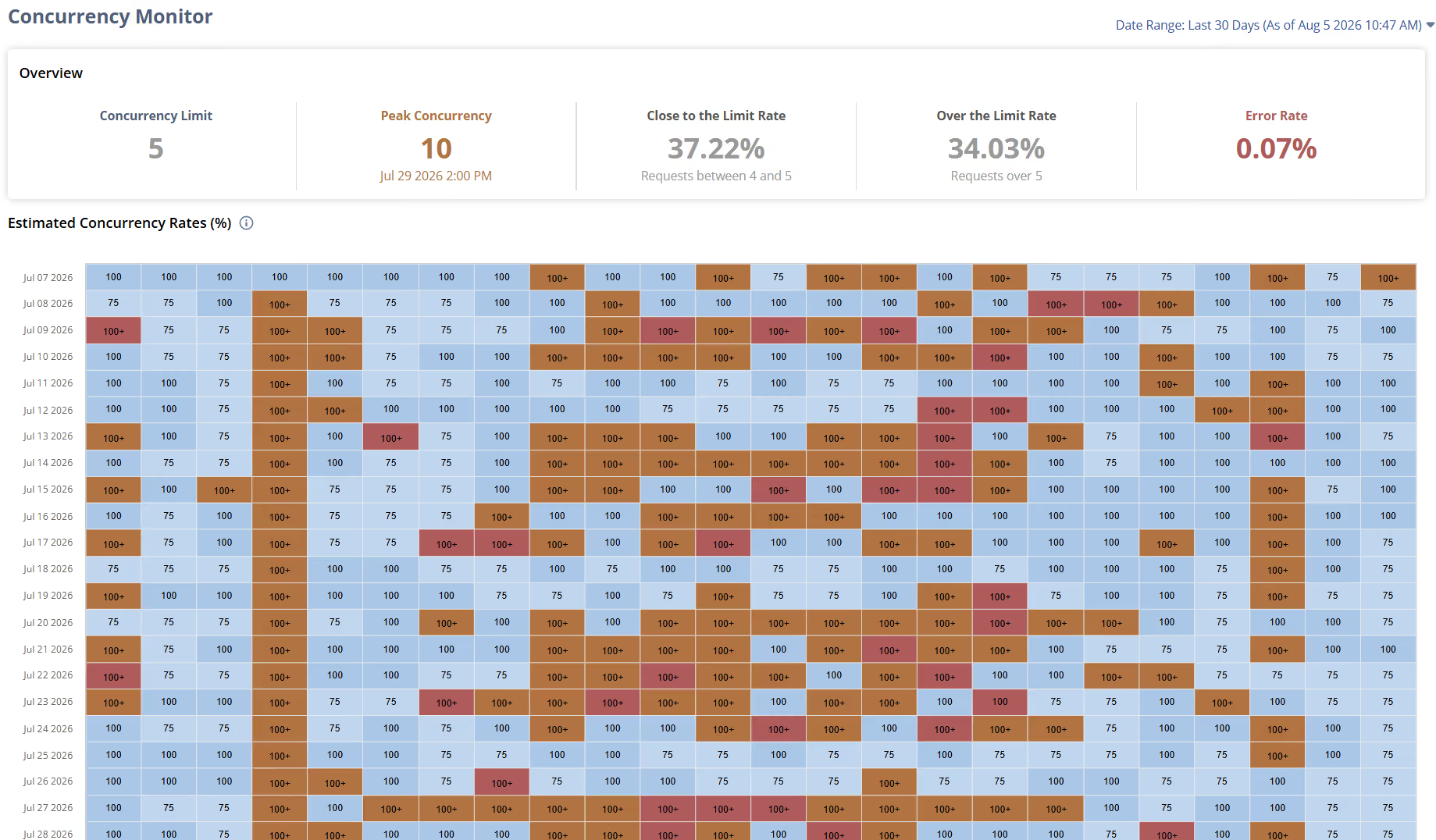
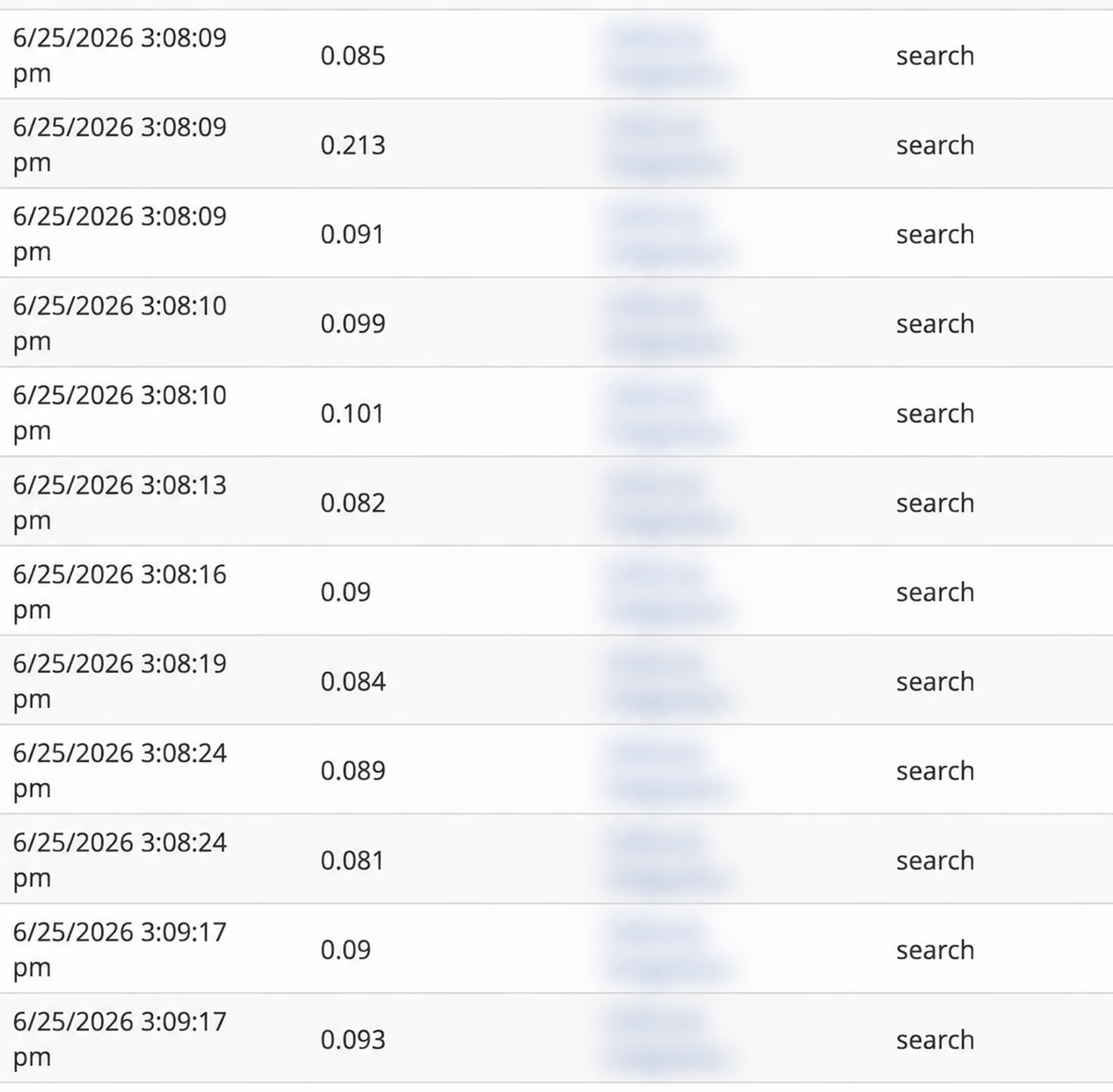
That sounds technical, but every NetSuite account comes with a built-in log for this, found under Setup -> Integration -> SOAP Web Services Usage Log. It shows what has been talking to the account and how often, and it's the first place we look when we want to see what's really reaching a system. (One caveat: NetSuite limits this log to the Administrator role, so if you don't see it, ask whoever manages your account to pull it up.)
What we found was a single integration generating hundreds of calls a minute, more than 8,600 in one hour, far more than a well-designed integration should ever need . It was a third-party tool that syncs engineering drawings into NetSuite, and by every visible measure it was working: files were syncing, nothing was erroring out, and so no one had examined it in months. The trouble was in how it worked. For every item, it ran a separate search to confirm the part existed before attaching the drawing, and it did that across the entire catalog on every cycle. Any drawing whose part didn't exist yet was then re-checked on every later run, so that backlog kept growing and kept querying. It was reasonable logic that simply hadn't been tested at the scale this client had grown into, and because the integration itself looked healthy, the cost showed up somewhere else: as a slow ERP for everyone using it.
That is what makes integrations tricky. This one would have passed any check its own vendor ran, because the problem wasn't really on the vendor's side. It lived in the shared system the vendor doesn't own and wasn't watching. Integrations sit in the gaps between systems, and those gaps are where responsibility gets blurry. The vendor watches their piece, your team watches the ERP, and the link between them is assumed to be fine as long as it isn't visibly failing. But software can run without errors and still cause real harm.
So when a system feels slow and the obvious causes don't explain it, we start with the traffic rather than with theories, looking at how often things run, whether work is being repeated, and whether a process fires more often than the business needs. Often the cause turns out to be something we don't directly control, which is fine. You don't have to own a piece of software to see that it's behaving badly.
We mention this because it's a fair example of how we approach these problems. When something is slow, the connections between your systems are usually worth a close look, since that is often where the real issue is.